AI Meeting Note Taker: How It Works, the Best Tools & Where Your Audio Goes (2026)
AI meeting note taker 2026: how it works, the best free tools (Fathom, Otter, Fireflies) compared, bot vs bot-free, and where your audio is processed.
On this page +
- What is an AI meeting note taker?
- How does an AI meeting note taker work?
- What’s the best AI meeting note taker in 2026?
- Is there a free AI meeting note taker?
- How accurate are AI meeting note takers?
- Do AI note takers join the meeting as a bot?
- Can an AI note taker capture an in-person meeting?
- Where is my meeting audio processed — and is it private?
- Are AI meeting note takers GDPR compliant?
- Is it legal to use an AI meeting note taker?
- How do I choose an AI meeting note taker?
- Common mistakes when choosing an AI note taker
- Troubleshooting: when your AI notes disappoint
- What is Kuno?
- FAQ
An AI meeting note taker is software that automatically records a meeting, transcribes the speech to text, and produces a summary with action items and decisions — so no one has to type notes by hand. Most join your Zoom, Teams or Google Meet call as a bot; a few capture audio bot-free or on a device. The tools differ less on accuracy than on two things the listicles skip: whether a bot joins your call, and where your audio is processed and stored.
🔑 Quick answer • What it is: software that records, transcribes and summarises a meeting into notes, decisions and action items — automatically. • How it works: capture audio → speech-to-text (ASR) → AI cleans it up, labels speakers and writes the summary. • Best all-round free: Fathom (unlimited free recording + transcripts). Best for sales/CRM: Fireflies. Most established: Otter. • Bot vs bot-free: most send a visible bot into the call; a few (Jamie, on-device recorders) capture without one. • In-person meetings: a bot can’t join a room — those need a recorder or an on-device tool. • Most overlooked: where the audio is processed — a vendor’s cloud (often US) or on-device — which decides your privacy and GDPR exposure.
The category has exploded because the alternative — typing notes while trying to follow the conversation — means you do neither well. An AI note taker hands you a searchable transcript and a clean summary minutes after the call. But the pages that rank for this term mostly rank the same dozen tools and stop there. This guide explains what an AI note taker actually is, how it works, how to pick one, and the two questions a procurement or legal reviewer will ask first: does a bot join the call, and where does my conversation end up.
What is an AI meeting note taker?
An AI meeting note taker is a tool that uses automatic speech recognition and large language models to turn a meeting into written output without manual note-taking. It does three jobs from one recording: produces a full transcript (everything said), a summary (the decisions and key points), and action items (the tasks, often with owners). The better tools also label who said what, timestamp each line, and let you search across past meetings.
It helps to separate three things people lump together. A transcript is the verbatim text. A summary is the condensed version. Action items are the to-dos pulled from the conversation. Most note takers deliver all three, but knowing which you actually rely on shapes which tool fits — a sales team lives in the action items and CRM sync, a researcher in the full transcript.
How does an AI meeting note taker work?
Under the hood it’s a short pipeline. The tool captures the meeting audio, an ASR (automatic speech recognition) model converts the sound into words, and a language model then cleans the output — adding punctuation, separating speakers (diarisation), and generating the summary and action items.
| Stage | What happens | What affects quality |
|---|---|---|
| Capture | Audio is recorded from the call, an app, or a microphone | Microphone quality, distance, background noise |
| Speech-to-text (ASR) | Sound is converted into words | Accents, jargon, crosstalk |
| AI post-processing | Punctuation, speaker labels, summary, action items | Model quality, custom vocabulary |
| Output & storage | Transcript, summary and tasks are saved, shared and searchable | Where it’s hosted; who can access it |
The decisive point: the AI can only write down what it clearly hears. Better input audio beats a better model almost every time — which is why a clean recording matters more than the brand on the box.
What’s the best AI meeting note taker in 2026?
There’s no single winner — there’s a best tool for your meeting type and data policy. The table below compares the leading options on the dimensions most “best note taker” lists gloss over: whether a bot joins the call, and where your data lives.
| Tool | Best for | Free tier | Bot in the call? | Where data is processed |
|---|---|---|---|---|
| Fathom | Best free all-round notetaker | Unlimited recording + transcripts | Yes (visible) / bot-free in beta | US cloud |
| Otter.ai | Live transcription + collaboration | 300 min/month | Yes (visible) | US cloud |
| Fireflies.ai | Sales teams, CRM logging, 100+ languages | Unlimited transcription, capped storage | Yes (visible) | US cloud |
| Read AI | Meeting analytics & coaching | 5 meetings/month | Yes (visible) | US cloud |
| Granola | A smart, AI-enhanced personal notepad | Limited free trial | No (captures device audio) | Cloud |
| Jamie | Bot-free, EU-hosted notes | Free plan (capped meetings) | No (captures device audio) | Hosted in Germany |
| Kuno | In-person & field meetings, data sovereignty | Early access (pre-launch) | No (dedicated device) | On-device, EU-hosted |
All figures verified against vendor positioning in June 2026; free-tier limits change often, so confirm on the vendor’s page before relying on them. The honest verdict: for unlimited free notes on online calls, Fathom leads; for sales and CRM, Fireflies; for live collaboration, Otter; for a bot-free, EU-hosted option, Jamie; and for in-person meetings and strict data sovereignty, a dedicated on-device recorder.
▶ Capture meetings without sending them to a US cloud. Most AI note takers upload your audio to a vendor’s servers — often in the US — to transcribe it. Kuno takes the other path: it’s a privacy-first AI voice recorder, made in Germany, that records and transcribes your in-person meetings on-device, so the audio never leaves the room. It’s EU-hosted, never used to train AI, and needs no meeting bot, so it reaches the face-to-face and field conversations cloud bots can’t. A visible recording indicator shows everyone when it’s on. Get early access →
Is there a free AI meeting note taker?
Yes — and several are genuinely useful, not just trials. Fathom offers unlimited free recording and transcription on its individual plan, which is why it’s a common top free pick. Fireflies has a strong free tier (unlimited transcription, with a storage cap per seat). Otter’s free plan gives 300 transcription minutes a month with per-meeting limits, and Read AI caps its free plan at five meetings a month. Built-in options exist too: Zoom AI Companion, Microsoft Teams (Copilot) and Google Meet (Gemini) generate summaries natively on eligible paid plans.
The catch on free tiers is familiar — monthly caps, fewer integrations, limited AI summaries, and your audio living on the vendor’s cloud. For occasional online calls they’re excellent; for daily or sensitive use, the limits (and the data-location question) start to bite.
How accurate are AI meeting note takers?
Accuracy is measured by Word Error Rate (WER) — the share of words the AI gets wrong against a human reference. A 5% WER is about 95% accuracy. In clean conditions — one or two clear speakers, low noise, a good microphone — leading tools land in the ~90–96% range, and several advertise figures around 95%. But the spread is driven almost entirely by audio conditions, not the brand: crosstalk, strong accents, jargon and background noise pull accuracy down sharply, sometimes far below the headline number.
Two things improve real-world results more than switching tools: a good microphone close to the speakers, and a custom vocabulary for names, products and acronyms the model would otherwise mangle. And always keep a quick human review for names, numbers and figures — that’s exactly where AI errs most. Treat any single accuracy percentage as a best case for clean audio, not a guarantee. (Accuracy ranges verified June 2026.)
Do AI note takers join the meeting as a bot?
Most do — and it’s worth understanding the difference, because it’s both a privacy and an etiquette issue.
| Capture method | How it works | Trade-off |
|---|---|---|
| Meeting bot (Otter, Fireflies, Read AI, Fathom) | A “Notetaker” participant joins the Zoom/Teams/Meet call | Visible to all; can feel intrusive; only works on online calls |
| Bot-free app (Jamie, Granola) | Captures your device’s audio directly — no participant joins | No bot in the list, but audio still goes to the vendor’s cloud |
| On-device recorder (Kuno) | A dedicated device records and transcribes the room locally | Reaches in-person meetings; audio never leaves the device |
A bot isn’t just cosmetic. It announces to everyone that a third-party service is capturing the call — awkward in a client demo or a confidential review — and an auto-joining bot is exactly what recent privacy complaints have targeted. Bot-free and on-device capture avoid the visible participant, but only on-device capture also keeps the audio off a third-party server.
Can an AI note taker capture an in-person meeting?
Not with a bot. The popular note takers work by sending a participant into an online call — perfect for Zoom, Teams and Meet, useless for a meeting that isn’t a call: a client across the table, a site visit, a clinic consultation, a workshop floor. There’s no call for the bot to join.
For those in-person and field meetings, the options that actually work are a dedicated recorder or an on-device app that captures the room directly and transcribes it. If a meaningful share of your important conversations happen face-to-face, a bot-only tool simply can’t cover them — and that’s the niche on-device recorders are built for. A laptop running a note-taker app on the table is the free workaround, but a single laptop mic across a six-person table produces uneven audio and a messy transcript.
Where is my meeting audio processed — and is it private?
This is the question that should decide the purchase for anyone recording sensitive meetings, and it’s the one the rankings skip. With a cloud note taker, your audio is uploaded to the vendor’s servers to be transcribed, stored and made searchable — and a US-headquartered provider can fall under US data-access law (the CLOUD Act) even when its servers sit in Europe. With an on-device tool, the speech-to-text runs on the hardware itself, so the audio never leaves the room and there’s no cross-border transfer to justify.
To be fair, mainstream cloud tools like Otter and Fireflies publish security certifications and can be run lawfully — this isn’t “banned vs allowed.” It’s data sovereignty: where the audio physically lives and who could ultimately reach it. Three checks matter as much as the accuracy claim:
- Bot, bot-free or on-device? On-device means the audio never leaves the room.
- Where is it hosted? EU hosting keeps you inside the GDPR perimeter; a US cloud may not.
- Is your audio used to train the vendor’s AI? It should be possible to say no.
Are AI meeting note takers GDPR compliant?
They can be — with the right configuration. Most leading tools hold SOC 2, and several state GDPR compliance, with HIPAA available on higher tiers. But “GDPR compliant” is not the same as “your data stays in the EU.” A meeting transcript is personal data (names, voices, anything sensitive discussed), so you need a lawful basis, you must inform participants, and for external meetings explicit consent is usually the safe route. For EU and DACH buyers the real blocker is often the US processing and the CLOUD-Act exposure that comes with it — not a missing certificate. On-device or EU-hosted processing removes that question rather than managing it.
⚠️ Compliance ≠ data sovereignty. A US-hosted tool can hold SOC 2 and offer a GDPR DPA and still leave your recordings under US jurisdiction. If that distinction matters to your organisation, choose an EU-hosted, bot-free or on-device tool — and verify the hosting region in writing. (General information, not legal advice.)
Is it legal to use an AI meeting note taker?
Usually — with notice and the right consent. The rule depends on where you are. In most of the United States, federal law and 38 states use one-party consent (you may record a conversation you’re in), while about a dozen states (e.g. California, Florida, Illinois) require all-party consent. In Germany and most of the EU the bar is higher: recording the non-public spoken word without everyone’s consent can be a criminal offence under § 201 StGB, and Austria (§ 120 StGB) and Switzerland (Art. 179bis StGB) protect the spoken word similarly.
| Jurisdiction | Rule for private conversations | Practical takeaway |
|---|---|---|
| 🇺🇸 US — one-party states (38 + D.C.) | One participant’s consent is enough | You may record a call you’re in; disclosing is still best practice |
| 🇺🇸 US — all-party states (~12) | Everyone must consent | Get a clear yes before recording |
| 🇩🇪 Germany | Secret recording of the non-public spoken word is criminal (§ 201 StGB); GDPR also applies | Get everyone’s consent first |
| 🇦🇹 / 🇨🇭 Austria / Switzerland | Spoken word protected (§ 120 StGB; Art. 179bis StGB) | All-party consent |
This is current, not theoretical: in August 2025 a class action was filed against Otter.ai (Brewer v. Otter.ai, N.D. Cal.) over recording and training without participants’ consent, and in December 2025 a proposed class action targeted Fireflies.ai over biometric “voiceprints” under Illinois’ BIPA. Both are allegations not yet decided — but the lesson is the same: auto-joining bots that record people who never opted in carry real consent exposure. The safe habit everywhere is to announce recording, get a clear yes, and prefer a tool that makes the recording state visible.
⚠️ General information, not legal advice. Recording law varies by country, state and context (internal vs external, works-council rules). For sensitive or cross-border recordings, get a data-protection review. (Verified June 2026.)
How do I choose an AI meeting note taker?
Pick by your hardest constraint, in this order:
- Privacy / data sovereignty is non-negotiable (legal, healthcare, HR, DACH/EU) → an on-device or EU-hosted, no-training tool; scrutinise the DPA and retention controls.
- You mostly meet in person or in the field → a dedicated recorder or strong mobile capture, not a video-call bot.
- Budget is the priority → Fathom (unlimited free) or Fireflies free.
- You’re a sales team → Fireflies or Read AI for CRM sync and conversation intelligence.
- You live inside Zoom / Teams / Meet → start with the native assistant before adding a tool.
📋 A concrete example A consultancy runs two kinds of meeting. Their internal weekly stand-up on Teams is fine on a free cloud notetaker — low sensitivity, online, hands-off. But their on-site client workshops involve commercial detail discussed in a room. No bot can join, and the content shouldn’t sit in a foreign cloud — so they capture those on an on-device recorder, get the transcript and action items locally, and keep the audio in-house. Same company, two right tools, chosen by sensitivity and meeting type.
Common mistakes when choosing an AI note taker
- Judging tools on the accuracy headline. Real accuracy depends on your audio; fix the microphone before blaming the model.
- Letting a bot auto-join everything. Auto-recording your whole calendar is the behaviour at the centre of the 2025–2026 lawsuits. Make recording deliberate and announced.
- Reading “GDPR compliant” as “EU-hosted.” Many tools process in the US. Compliance posture and data residency are different questions.
- Forgetting in-person meetings. Buying a video-call bot when half your important conversations happen face-to-face.
- Overlooking the caps. “Unlimited transcription” often comes with limited storage or capped AI summaries.
- Trusting the transcript blindly. Always check names, numbers and figures — that’s where AI errs most.
Troubleshooting: when your AI notes disappoint
| Problem | Likely cause | Fix |
|---|---|---|
| Transcript full of errors | Noisy audio or a distant microphone | Move the mic closer and more central; reduce background noise |
| Everyone labelled “Speaker 1” | Crosstalk or no speaker profiles | Enable speaker identification; ask people not to talk over each other |
| Names and jargon wrong | No custom vocabulary | Add a custom dictionary for names, products, acronyms |
| Bot didn’t join the call | Calendar/integration permissions, or it’s an in-person meeting | Reconnect the calendar; for a room meeting, use a recorder — no bot can join |
| Hit a usage or storage cap | Free-tier minute or storage limit | Export and delete old recordings, or move to a paid/on-device tool |
| Compliance review blocked the tool | Audio uploaded to a foreign cloud | Switch to on-device / EU-hosted capture for sensitive content |
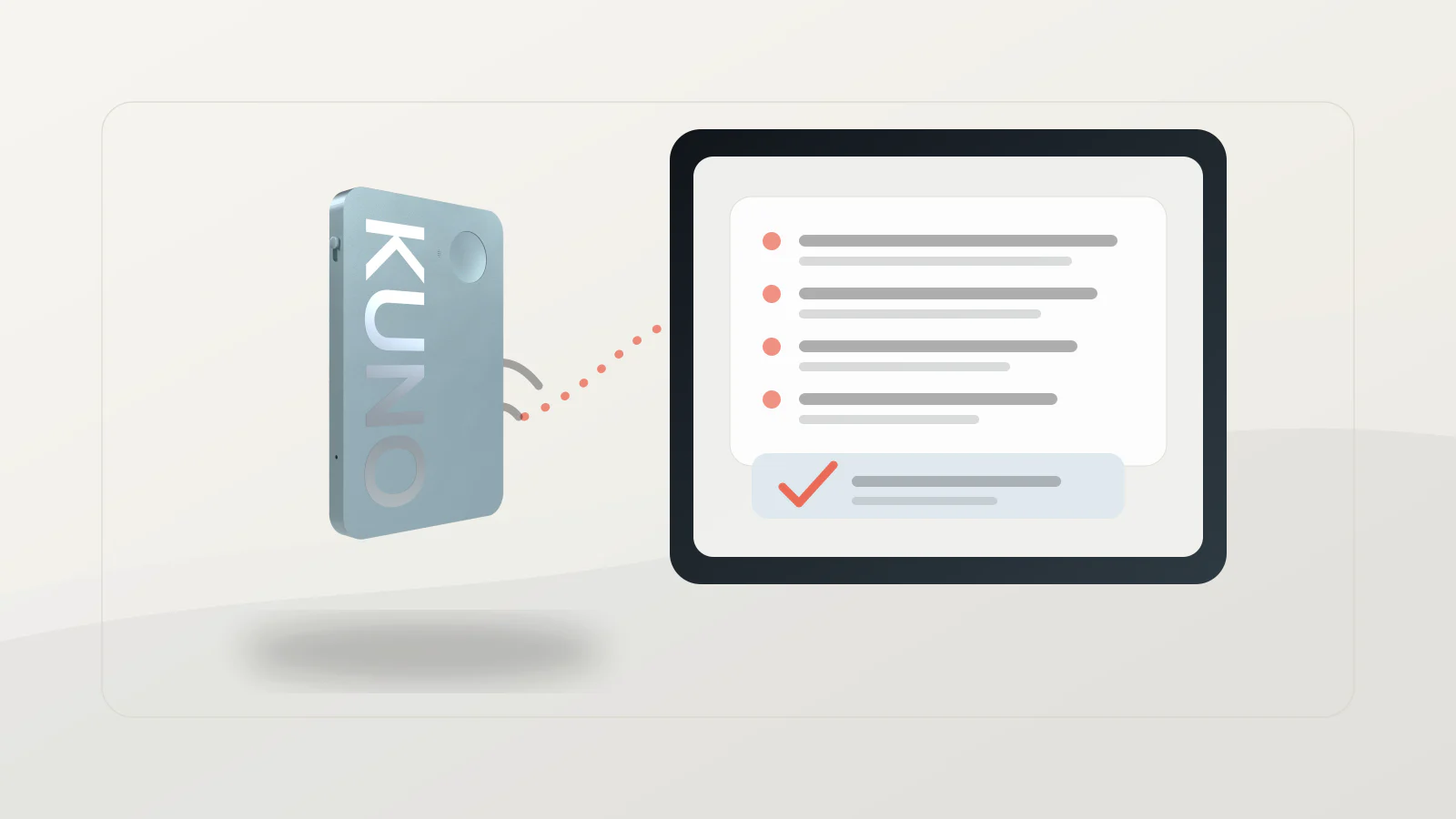
▶ The AI notes without the cloud — for the meetings bots can’t reach. Software note-takers only join online calls. The client workshop, the site visit, the one-to-one stay uncaptured. Kuno records those in-person conversations and transcribes them on-device — made in Germany, EU-hosted, no training on your recordings, no meeting bot required — and turns them into a summary with action items. A visible recording indicator and a one-tap stop keep consent clean, so you get the notes of an AI assistant without handing your conversations to anyone. Get early access →
What is Kuno?
Kuno is a privacy-first AI voice recorder, made in Germany, that captures and transcribes in-person meetings on-device with EU data hosting and no training on your recordings. Where cloud note takers upload audio and bots only reach online calls, Kuno keeps the whole pipeline on the device and in the EU, and reaches the face-to-face and field meetings software can’t — turning them into a clean transcript and summary while the audio stays with you.
FAQ
What is an AI meeting note taker?
Software that automatically records a meeting, transcribes the speech to text, and produces a summary with action items — usually with speaker labels and timestamps — using speech recognition and AI, so no one has to take notes by hand.
What’s the best free AI meeting note taker?
Fathom offers unlimited free recording and transcription; Fireflies has a strong free tier too. Otter’s free plan is capped at 300 minutes a month, and Read AI at five meetings. Free tiers cap minutes, storage or AI features.
Do AI note takers work for in-person meetings?
Not with a bot — bots only join Zoom, Teams or Meet calls. For a room meeting you need a dedicated recorder or an on-device app that captures the room directly.
Are AI meeting note takers GDPR compliant?
They can be, with a lawful basis, clear notice to participants and appropriate hosting. Many process data in the US, which adds a cross-border transfer to justify; on-device or EU-hosted tools keep the audio local. General information, not legal advice.
Is it legal to use an AI note taker?
Usually, if you inform participants and have the right consent. Many US states allow one-party consent; about a dozen require all-party consent, and Germany makes secretly recording the non-public spoken word a criminal offence (§ 201 StGB). Announce recording and get agreement first.
Do AI note takers join the call as a visible bot?
Most do (Otter, Fireflies, Read AI, Fathom). A few capture device audio bot-free (Jamie, Granola), and dedicated on-device recorders need no bot at all — the only option that also keeps audio off a third-party server.